miServer: Interpretability Server
The serving half of miStudio. miServer is a local, OpenAI-compatible inference server that steers a model with sparse-autoencoder features, clusters and circuits while it serves, and watches every request with probe monitors trained in miWorkbench. It also scores text, runs durable batch jobs, and can let miForge update the weights it serves in place.
Part of miStudio, and fully usable on its own.
miServer (formerly miLLM) is an inference server for open large language models (LLMs), in the same family as vLLM and Ollama. It answers the OpenAI application programming interface (API), so the tools you already use (Open WebUI, the OpenAI software development kits, LangChain, plain curl) work by changing the server address they point at. What sets it apart is what it can do while it serves: change the model’s behavior from the inside, and watch what the model is internally processing on every request.
It serves Hugging Face checkpoints, quantized or at full precision, and GGUF files (the llama.cpp quantized model format). A model too large for one card can be split across the cards the machine has, and when a request will not fit, the error names the card and the figures.
Steering while it serves
A sparse autoencoder (SAE) breaks a layer’s activations into features, many of which match recognizable concepts. miServer attaches SAEs in the standard SAELens format to the layers of the loaded model and adds scaled feature directions to the activations during generation. The model’s weights are never touched, no context window is spent, and the change can be turned off mid-conversation.
- Features and profiles. Set strengths per feature, save them as a named profile, and apply a profile per request with the
profileparameter, or inline with asteeringfield. Each response reports in a header exactly what steering ran. - Clusters. Steer a whole group of related features from miWorkbench at one tuned strength, clamped to the range it was calibrated for.
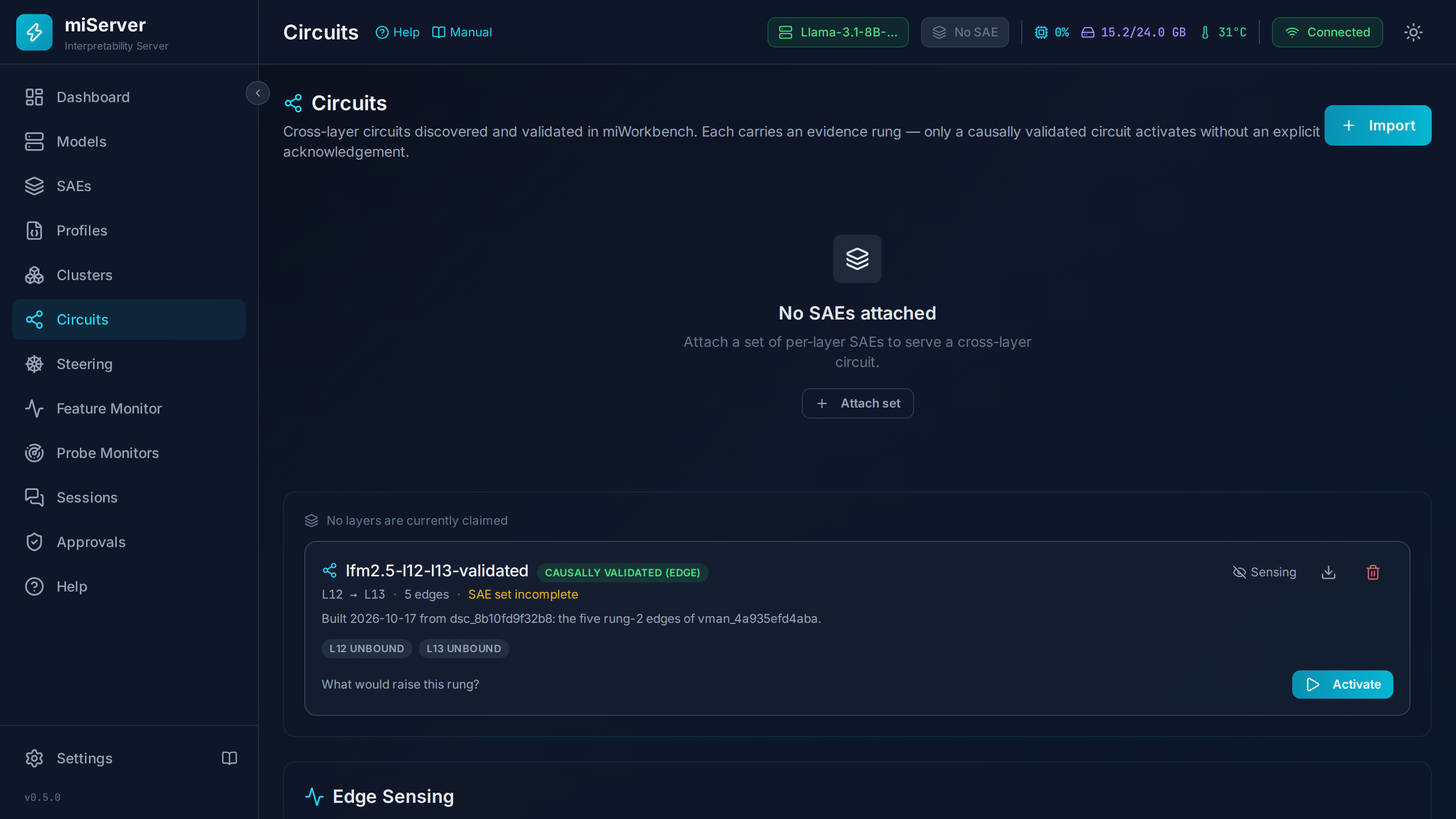
- Circuits. A discovered circuit attaches every SAE it needs and steers each member through its own layer’s SAE under one intensity dial. miServer refuses a circuit below evidence rung 2 (causally validated) unless someone records that they accept the risk, and a response header carries the circuit’s rung.
- Open WebUI. A filter function adds a dial for clusters and circuits to the chat interface.
- Co-activation sensing. miServer can watch forward passes and report when a circuit’s or cluster’s members actually fire together.
- Per-request activations. A request can ask for its own SAE activations back in the response.
Probe monitors on live traffic
A probe monitor is a small linear detector trained in miWorkbench: a vector, a threshold, and a record of how well it worked. miServer imports one as a mistudio.probe-definition/v1 document, from a file or from Hugging Face, and arms it only after four gates pass:
- Limit: the model’s probe budget has room for it.
- Identity: it was built for exactly the model that is loaded.
- Parity: miServer reproduces the scores miWorkbench recorded in the definition’s test vectors.
- Evidence: arming a probe below rung 2 (detects on unseen tasks) asks why and records the answer.
Once armed, every probe scores every request. A verdict is recorded, shown and annotated. It does not stop, re-route or rewrite a generation. That is deliberate: thresholds have to prove themselves on real traffic before anything acts on them, so a verdict is evidence for a person, not a gate. Probes read the activations before steering is applied, so steering cannot change what a probe sees. Stored text can also be scored on demand, without arming anything.
Sessions. While a probe is armed, miServer groups the requests of one conversation into a session and records which turn each verdict belongs to. A client can name the session with a request header, and Open WebUI can pass its chat identifier through that header with no filter change; otherwise miServer recognizes a continuation. Recording the text of conversations is opt-in and off by default. When it is on, only the newest turn is kept, for seven days, it is served only on request (never on the live socket), and any session’s text can be deleted at once.
Probe limits per model, measured on hardware. Every armed probe adds a little time to every forward pass, and how much depends on the model and the card. miServer measures it: on the card a model runs on, it times the model’s own step and a probe’s cost, then admits probes against a time budget per generated token and per thousand prompt tokens. Each model can carry its own limits. On the reference measurements a small model had room for six dense probes under the default budget and an 8-billion-parameter model for three; a k-sparse probe costs about five times a dense one.
Limits worth knowing:
- Probes cannot run on GGUF models, because llama.cpp exposes no layers to hook.
- A probe can be suppressed. Published work shows adversarial inputs pushing probe scores down, so a probe is the cheap first stage of a cascade, not a perimeter.
- Recall at a tight false-positive budget can be modest. On miWorkbench’s reference run a probe on an 8-billion-parameter model caught 47% of positives at a 1% false-positive rate. On the suite’s personal-data example a probe caught 96% on unseen data, but that signal was largely surface-level.
Scoring, batches and leases
- Scoring.
/v1/completionscan return next-token log-probabilities for given text, chats can be scored as a model would see them, and scoring can run in float32 on a separate copy of the weights when precision matters more than speed. The scoring interface is published as a generated schema that miForge relies on. - Structured output and seeds. Constrained JSON (JavaScript Object Notation) output, and seeds with a
system_fingerprintfor repeatable sampling. - Batch API. Upload a JSON Lines file of OpenAI-shaped requests and run it as one durable job. A batch survives a restart, resumes from the first row without a result, never runs a row twice, and always yields to interactive chat.
- Model leases and backpressure. A caller such as miDataworks can lease the loaded model so nothing swaps it out mid-job. A full queue answers with a clear refusal instead of hanging.
Weights that can change while served
miServer can let a trainer attach to the weights it is serving. This is the optional hot-update mode that miForge uses: miForge writes to the served weights in place, miServer pauses serving only for the moment of each write, and checkpoints are saved as standard Hugging Face directories with a manifest and lineage. Separately, a low-rank adaptation (LoRA) adapter, such as one miForge trained, can be applied to the loaded model and taken off again without a reload, one adapter at a time. The hot-update mode is off unless an operator enables it, and it needs deployment settings that are not in the default install.
Agent control
Because circuits, clusters and probes are authored in miWorkbench, the agent-facing tools for miServer live in miWorkbench’s Model Context Protocol (MCP) server: 72 miserver_* tools that list and load models, import and activate circuits and clusters, set intensity, arm probes, read sessions and events, score text and run batches. Loading a model evicts the one being served, so an agent’s load request waits for a person to approve it. When miServer is unreachable, those tools say so by name.
Explore miServer
- Manual: docs-miserver.hitsai.net, including probe monitors, circuits, the batch API and using miServer with Open WebUI
- Overview video: Steer Open WebUI Chat with miServer
- Videos: YouTube channel
- Source code: github.com/hitsainet/miServer (Apache 2.0)
- The rest of the suite: miStudio · miWorkbench · miDataworks · miForge